
You can deposit a check on Netspend. Netspend has a mobile check deposit feature. It is one of the check cashing apps out there for making convenient deposits from the comfort of your home. There are quite a few impressive ones out there, that meet my needs as a young working class man.
Before I begin article, see that check you want to deposit with Netspend?
I want you to endorse right now. This is because you will not be able to cash it without endorsing the check first. By check endorsement, I refer to signing the back of the check.
Having mentioned that to you, here is how to go about Netspend check cashing.
Netspend Check Cashing
Netspend cashes checks on its mobile app. You can download its mobile app from Apple App Store or Google Play. It is completely free to download.
I encourage you activate your personalized Netspend card, before you deposit a check into a Netspend account. This is because it is required before you cash a check on Netspend. When open the mobile check load feature, you will be prompted for your card information. It is how you add money to a Netspend card.
If you have your card information, enter card number, expiration date and CVV digits on the card. It enable you to deposit a check to your Netspend card. Do you understand the importance now, good reader?
Speaking of Netspend check cashing process, here is what I want to do.
- Login to your Netspend account.
- Tap on your profile which is located on the top left corner. Scroll down to Mobile Check Load.
- Select Mobile Check Load.
- Put in your netspend card information. Then, follow the instructions on the next prompt.
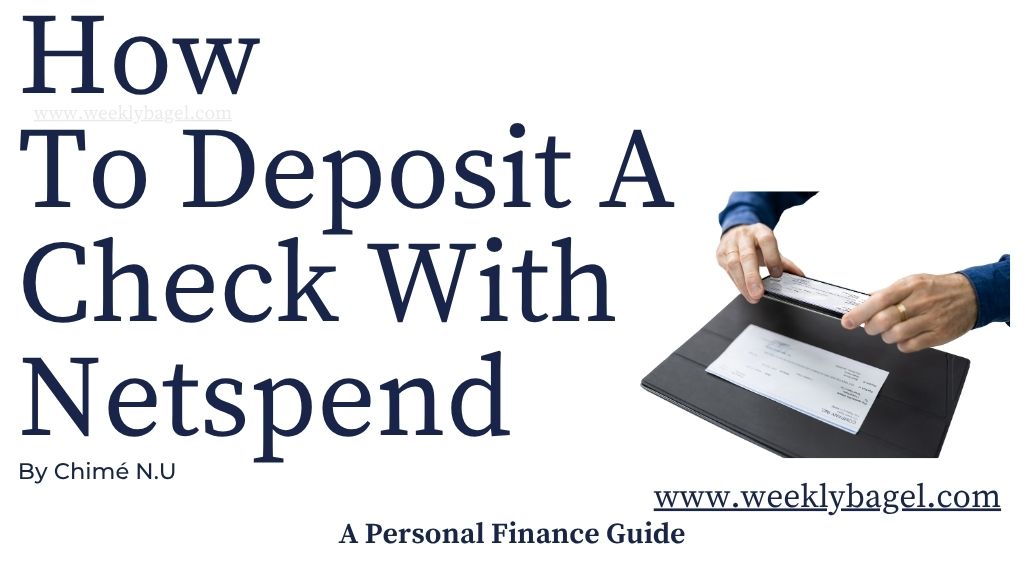
- Take picture of the front and back of the check. Be sure your pictures of the check is clear. Also, the background is dark or black with the entire check on focus and nothing else.
- Review the details to make sure everything is correct and submit the check for deposit.
Do not shred or throw away your check. I would keep it, even after receiving confirmation of check deposits within minutes. This is to avoid issues, where Netspend might need further clarification should its check cashing policy be violated.
Finally, be sure to endorse the check before you begin to deposit it. I mentioned this previously. It is important, because endorsing a check means you are authorized to cash it. Besides, you want to avoid issues when you load a check on Netspend.
Netspend Mobile Check Deposit Availablity
How long does a Netspend check take to clear, my dear reader?
Netspend mobile deposit takes minutes to an hour to be approved. This is especially, when there is an issue with your check. It all depends on how long it takes Netspend to verify your check.
Additionally, Netspend mobile check deposit availability could be instant or takes two to three business days. Two to three business days are considered the standard fund release time, but if you pay for the check fund to be released the same day, it will cost you money.
Netspend Mobile Deposit Fee
How much does Netspend charge to deposit a check?
A Netspend mobile check deposit is free for regular wait period of the two to three business days. However, you can be charged 2% of the check’s amount with a minimum of $5 for quick fund release. This is called expedited checks.
A Netspend mobile deposit fee will be the above, when you choose to get your check’s fund release instantly or the same day. If you are someone like me who lacks the patience to wait for three business days, I would encourage you check out these 5 Easy Online Mobile Deposit Apps.
Netspend Mobile Check Deposit Limit
Netspend online check cashing has limits on how much you could deposit per check or at any time. Firstly, Netspend mobile check deposit limit per day is up to $5000. It does not mean you could deposit this amount daily.
To simplify, you cannot do more than $5000 in a week. However, you can deposit up to $5000 in a day. And once you reach this check deposit limit, that is it for the week.
Also, the maximum amount on a Netspend check deposit is $2500 per check. If you want to deposit a check of up to $5000 on Netspend, you can do two or more checks. Do you understand what I am trying to explain now?
In a month, Netspend mobile deposit limit is up to $10,000. It is worthwhile I mention any check value you attempt to deposit must fall within $5 to $2500. This is because the mobile app only allows a minimum of $5 and a maximum of $2500 on a check.
I want you to know a different Netspend check deposit limit will apply to you, when your account is less than 30 days old. Your deposit limits will be $1000 per day and $2500 per month. This is until the probation period is over.
Netspend Mobile Check Deposit Not Working: What To Do
There are a couple of reasons why this is happening. Firstly, you may have deposited a check which was not endorsed prior to deposit. Secondly, you took blurry pictures of your check. Thirdly, you did not activate your card before proceeding to use Netspend’s mobile check load feature. Lastly, you try to deposit more than Netspend’s mobile deposit limits.
So, what do you do when your Netspend mobile check deposit is not working?
I encourage you endorse your check prior to depositing it on the mobile app. Also, try to upload checks whose values are within the deposit limits. Anything more than $2500 per check will not be accepted, so keep it below $2500. If you had more, break it up into different checks and keep your check deposit in a single day below $5000.
Furthermore, I encourage you take pictures on a dark flat background in a well lit place. Do not let anything else show up on the photos, but your check and the background. This is to avoid the digital capture picking up other words or numbers which are not part of the check.
If you want to try these 9 Best Netspend Card Reload Locations, maybe they will help you cash that check. This is especially, when everything else has failed. I would try it.
To sum it up, stick to everything I have mentioned here and you can cash a check with Netspend without issues. Be sure your app is updated and your network strength is good. If the problem persists, reach out to Netspend. Armed with this information now, you will be just fine!


 Does 7-Eleven Do Money Orders?